More Lab Ordering Flexibility for Your Practice

No two providers use labs the same. These upgrades to your labs workflow give you more ordering flexibility, simplify administration, and provide new ways to personalize testing for your practice and patients.
Learn how you can use these new features to streamline your lab workflows.
Authorization network updates
What’s new
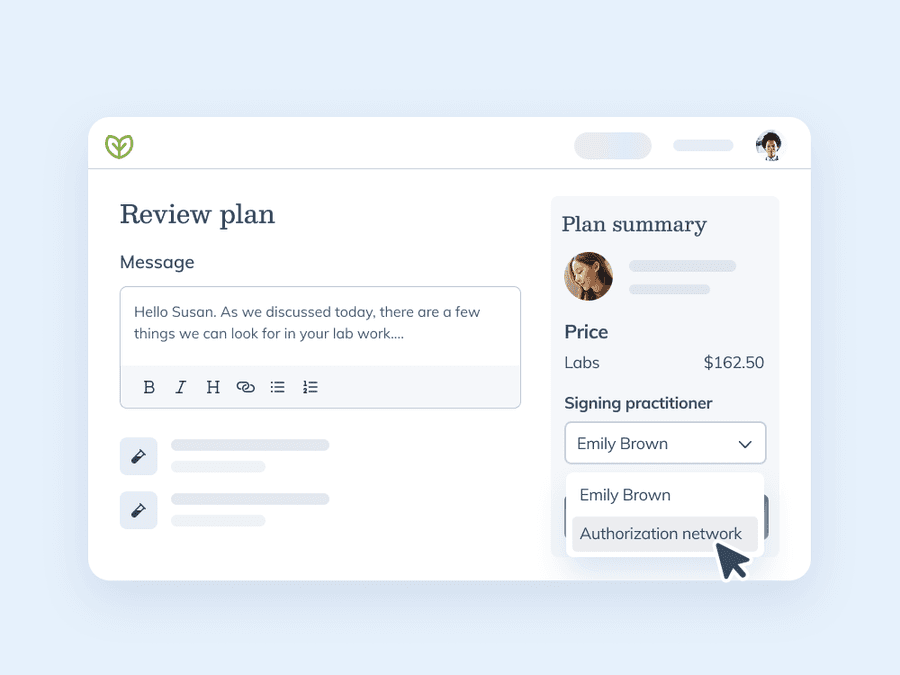
Choose the right license for the right orders. Switch between ordering lab tests under your own license and Fullscript’s network of licensed physicians. Enable or disable the authorization network for any provider in your practice to ensure seamless lab ordering for every patient.
Here’s how it works:
- Account owners can toggle access to the authorization network on or off for providers in their account.
- Account owners can choose to make the authorization network ‘default’ for providers in their account.
- When enabled, providers in an account are notified to review and accept terms of service to use it for lab recommendations.
- Providers can select ‘Authorization network’ as the signing practitioner for lab orders when reviewing their plan before sending it to a patient.
This release helps providers:
- Manage license permissions for every provider in their practice.
- Adjust the signing practitioner for specific lab orders.
- Standardize clinical workflows by setting default preferences.
Phlebotomy map
What’s new
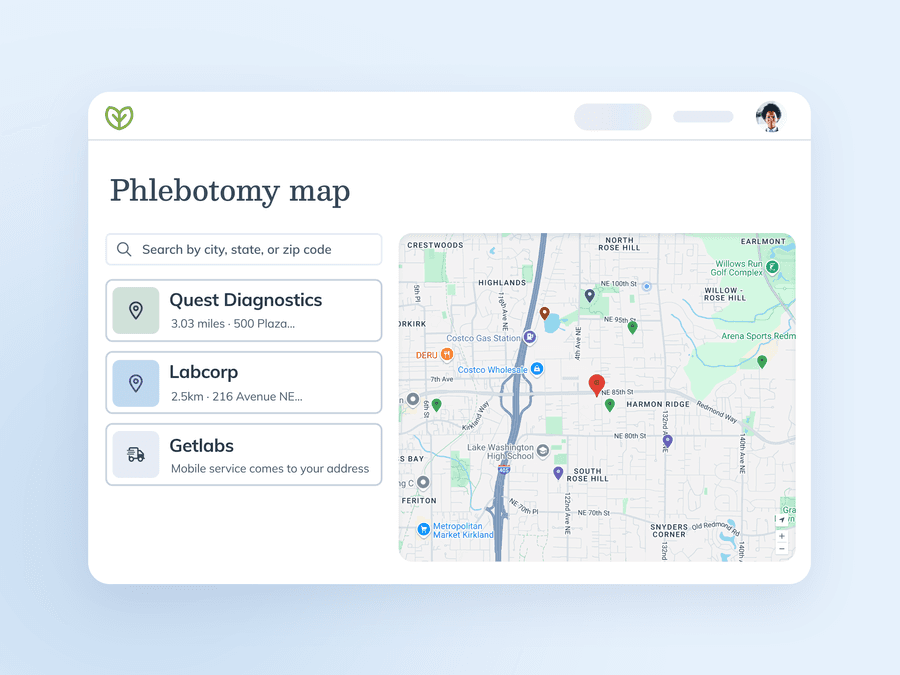
Find the best phlebotomy options fast. A new interactive map allows you to locate the most convenient phlebotomy options for your patients, whether it’s a Quest Patient Service Center, Labcorp draw site, independent option, or a mobile option with Getlabs.
Here’s how it works:
- The map is located in the navigation menu under ‘Labs’.
- Providers can enter a patient’s zip code to view nearby phlebotomy providers – including Quest Patient Service Centers, Labcorp draw sites, independent phlebotomists, and mobile coverage through Getlabs.
- Each option includes draw site details such as location, address, and hours of operation.
- Providers can filter by blood lab provider or location type (physical or mobile).
This release helps providers:
- Increase adherence by ordering labs based on convenient phlebotomy options for their patients.
- View location details without having to use another website.
- Ensure that patients have access to a draw site before sending a lab plan.
Default payments
What’s new
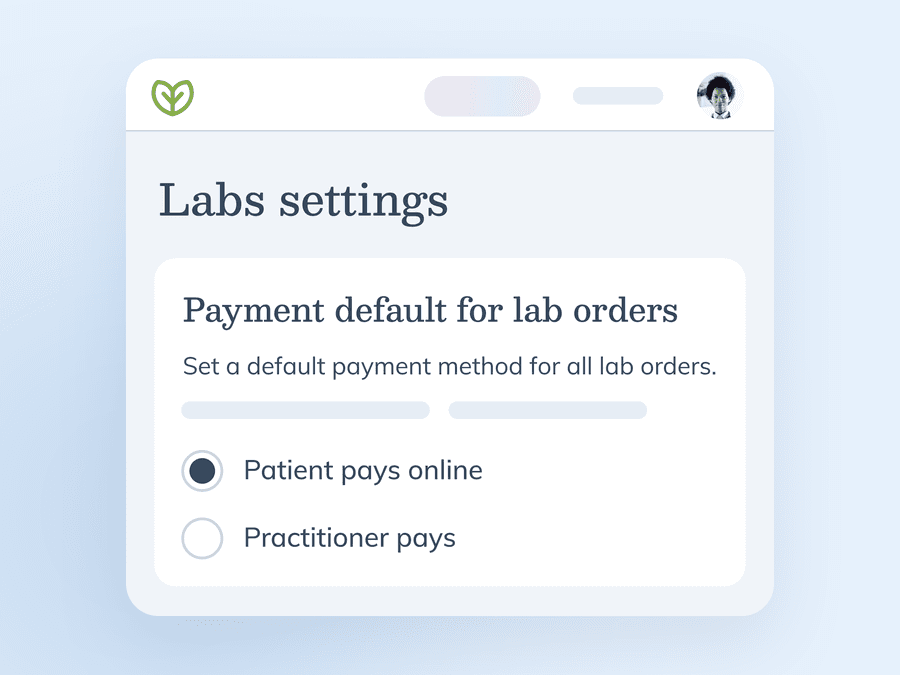
Reduce clicks with a default payment option. Select provider or patient-pay as your default payment option. Reduce administrative hassle and ensure every payment from every order suits your practice model.
Here’s how it works:
- Account owners can set default payment methods in the ‘labs’ section of their account settings.
- Select ‘patient pays online’ or ‘practitioner’ pays as the default payment method.
- This setting will automatically apply to all providers in your account. It only applies to plans with labs – if the plan includes supplements, the payment method will default to patient pay.
- Account owners can update the default payment method any time.
This release helps providers:
- Automate the selection of preferred billing methods to save time.
- Maintain administrative consistency across the entire practice.
- Reduce manual steps required to finalize and send a lab plan.
Scheduled orders
What’s new
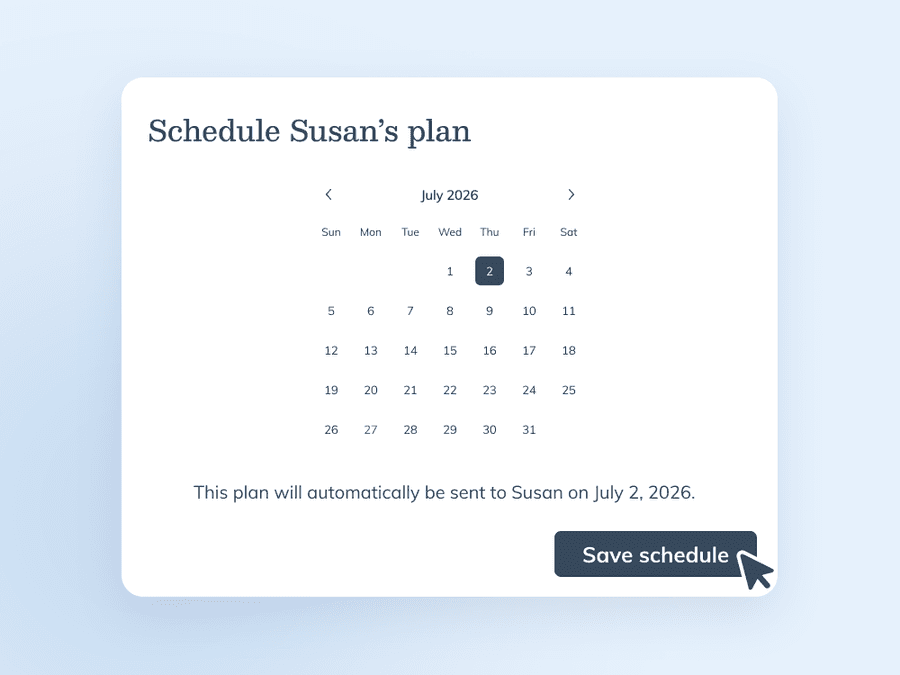
Keep patients on track without keeping tabs. Schedule future lab orders to keep patients on track with their wellness. They’ll receive a notification with order details on the date that you select, without you or your team lifting a finger.
Here’s how it works:
- Build a plan that only includes lab tests.
- During plan review, select a future date to schedule the order.
- The patient will receive a notification plan details via email or push notification on the selected date.
- Track the status of scheduled tests in the ‘scheduled orders’ tab in the lab orders dashboard, or on the patient profile.
This release helps providers:
- Automate the delivery of follow-up lab recommendations to improve patient adherence.
- Minimize the administrative burden of tracking retest dates and manually sending plans.
- Maintain visibility into future testing requirements through a centralized dashboard.
The bottom line
Your lab workflow should be as unique as your practice. These improvements to licensing, phlebotomy logistics, billing, and scheduling provide the tools necessary to manage labs on your own terms. These updates simplify the ordering process, reduce manual work, and support better patient outcomes through improved consistency.
Your lab workflow should be as flexible as your practice. These updates improve ordering access, increase visibility into phlebotomy options, and reduce clicks when managing payment preferences and scheduling orders – so you can spend less time on lab logistics